Digital vehicle handover for companies

Digital vehicle handover for businesses.

Document vehicle data, conditions, damages, and signatures in a clear process. Discover the published demo, Vehicle Handover Local Pro, and our personalized solution for businesses.

  • Own company lists
  • Own logo
  • Send PDF by email
Vehicle handover app of E.I.S-Reichert GmbH with vehicle and company logo
Handover completedPDF is automatically created
One processFrom vehicle selection to signature
Clear evidenceDamages, documents, and conditions documented
Immediate resultPDF created and sent to the desired address

Apps from E.I.S-Reichert GmbH

Download the suitable vehicle app.

With the demo, you can learn the process using sample data. Kfz-Übergabe Local Pro documents your own handovers locally on the device. The personalized company solution shown below is tailored to your processes.

On the computer: scan the QR code with the smartphone. On the smartphone: open the appropriate store.

Get to Know the Process

Vehicle Handover Demo

Get to know the digital vehicle handover with prepared, fictional example data – from the vehicle condition to the PDF report.

  • Guided process with sample data
  • Get to know documents, accessories, and damages
  • Public product demo for companies

The demo uses only sample data. Your own names, license plates, photos, and free texts cannot be entered.

Document vehicles

Vehicle Check Local Pro

Record vehicle issue and return directly on site: with vehicle data, conditions, damages, photos, and signatures.

  • Handover data locally on your device
  • Without registration and without app cloud
  • Save and share PDF reports

A PDF sample protocol is included. Additional PDF exports can be unlocked via a one-time purchase – no subscription required. The current price is shown in the respective store.

Do you need your own processes, shared data, or a solution for your team? Discuss individual business app →

This is how it works

The personalized solution: four steps to the protocol.

The interface guides employees through the handover in a clear manner and keeps all information comprehensibly together.

  1. 01

    Select vehicle

    License plate, model, location, and stored vehicle data are available for selection immediately.

  2. 02

    Record condition

    Mileage, fuel level, documents, and accessories are recorded in a structured way.

  3. 03

    Damage and signatures

    Photos, damage descriptions, and both signatures complete the documentation.

  4. 04

    Automatically send PDF

    After saving, the report is created, archived, and provided via email.

Original view of the German-language demo.

Real app demo

The complete process on the smartphone.

The recording shows the personalized demo app from start to completed vehicle handover – with documents, damages, recipient selection, and signatures.

  • optimized for smartphone, tablet, and browser
  • clear presets instead of chaotic paper notes
  • uniform results for fleet and recipient

The demo video contains no sound.

The demo video and the sample PDF show the German-language personalized solution.

Insights

The most important stages

Swipe sideways or scroll

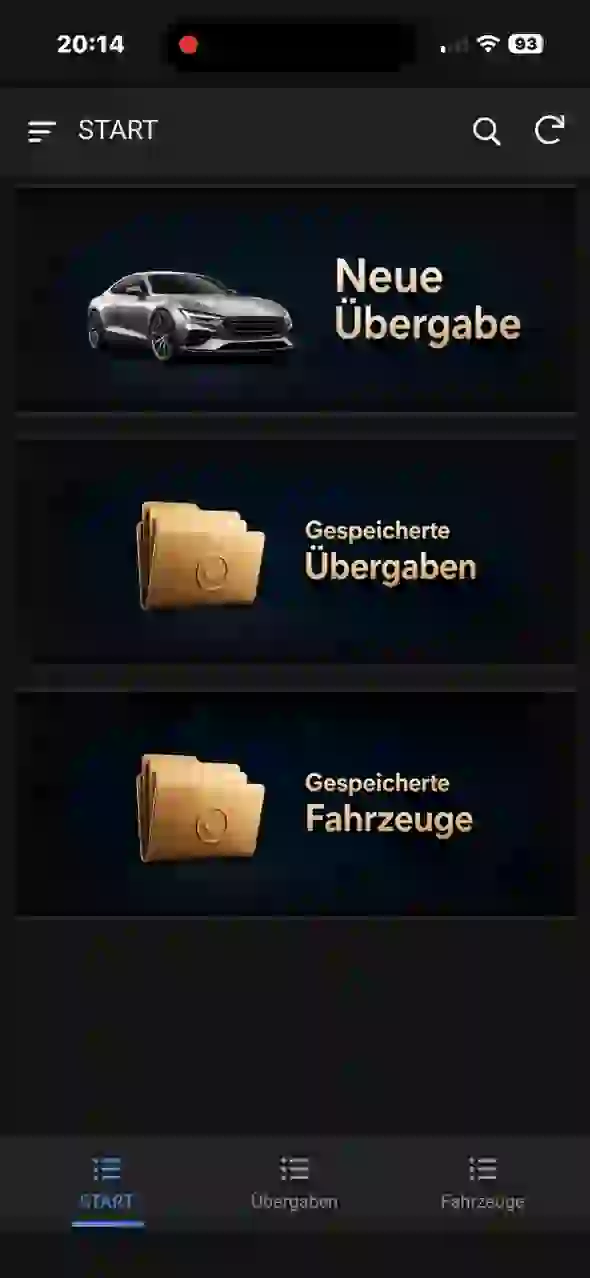
Homepage of the vehicle handover app
Home
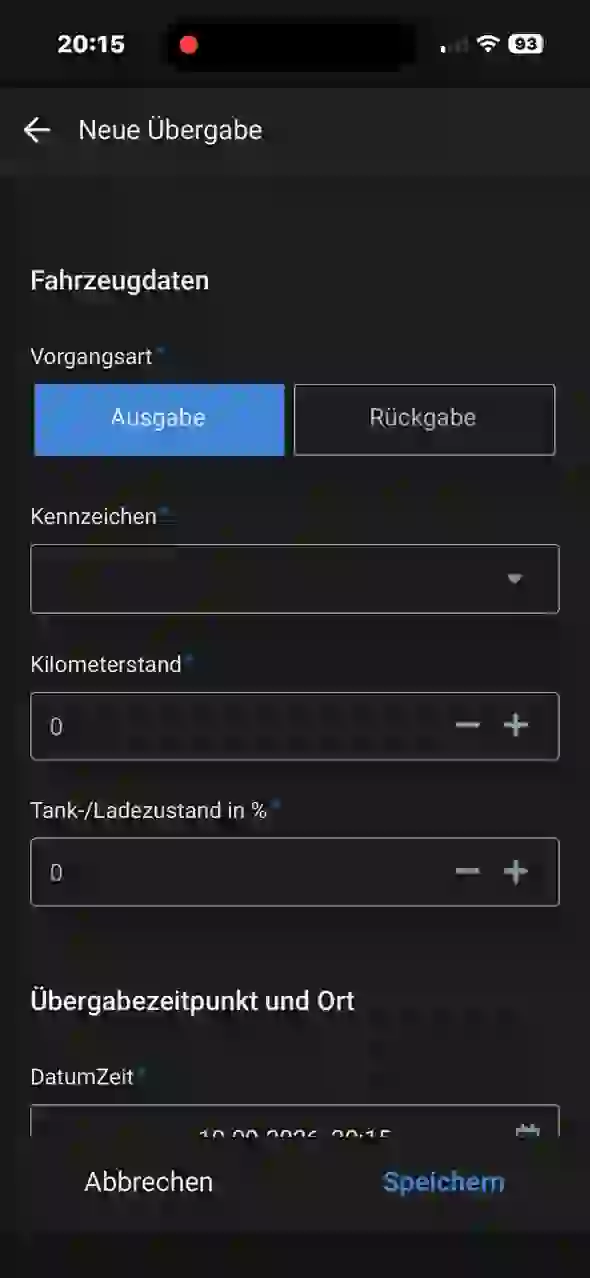
Form for recording a new vehicle handover
New Handover
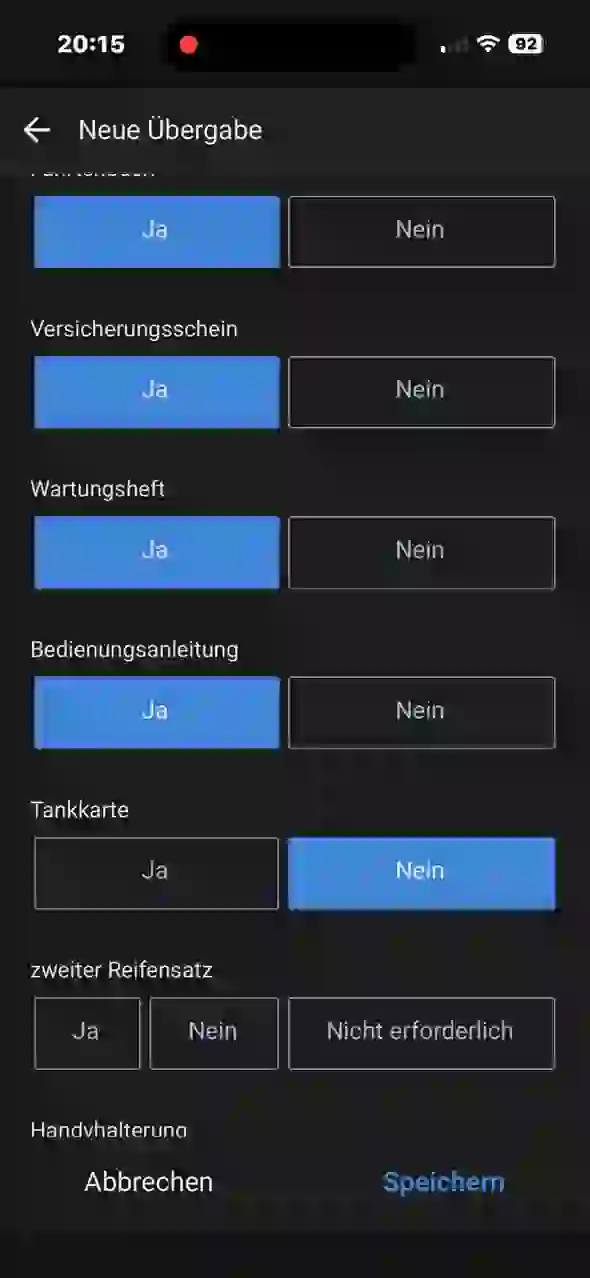
Selection of the vehicle documents provided
Documents
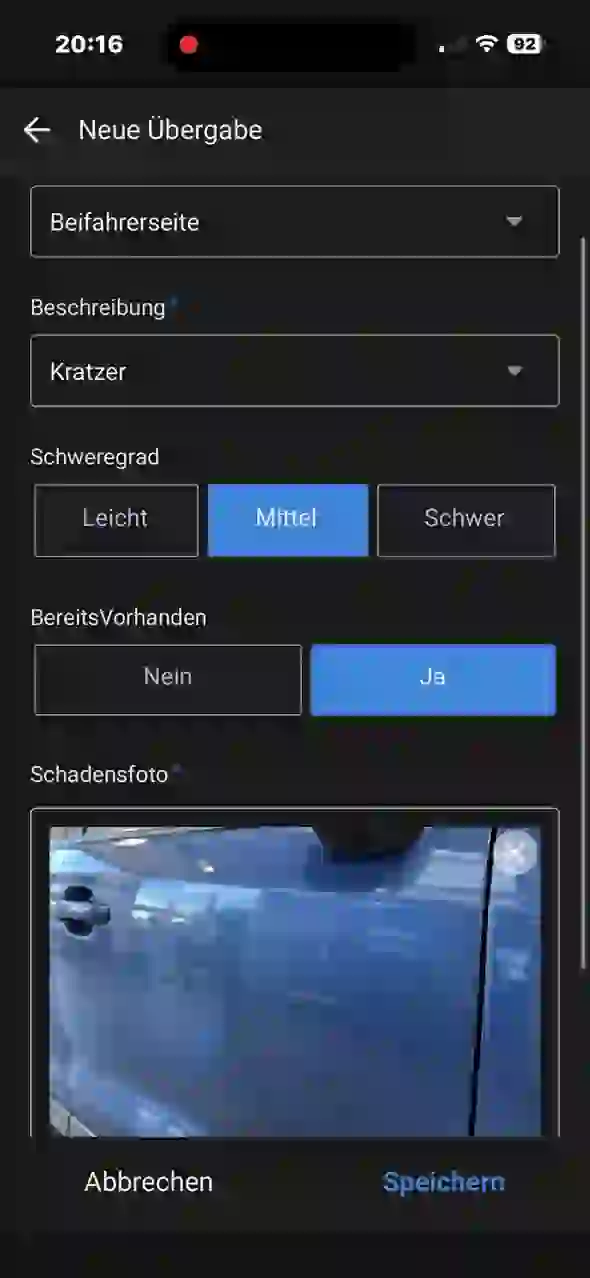
Documented scratch with photo
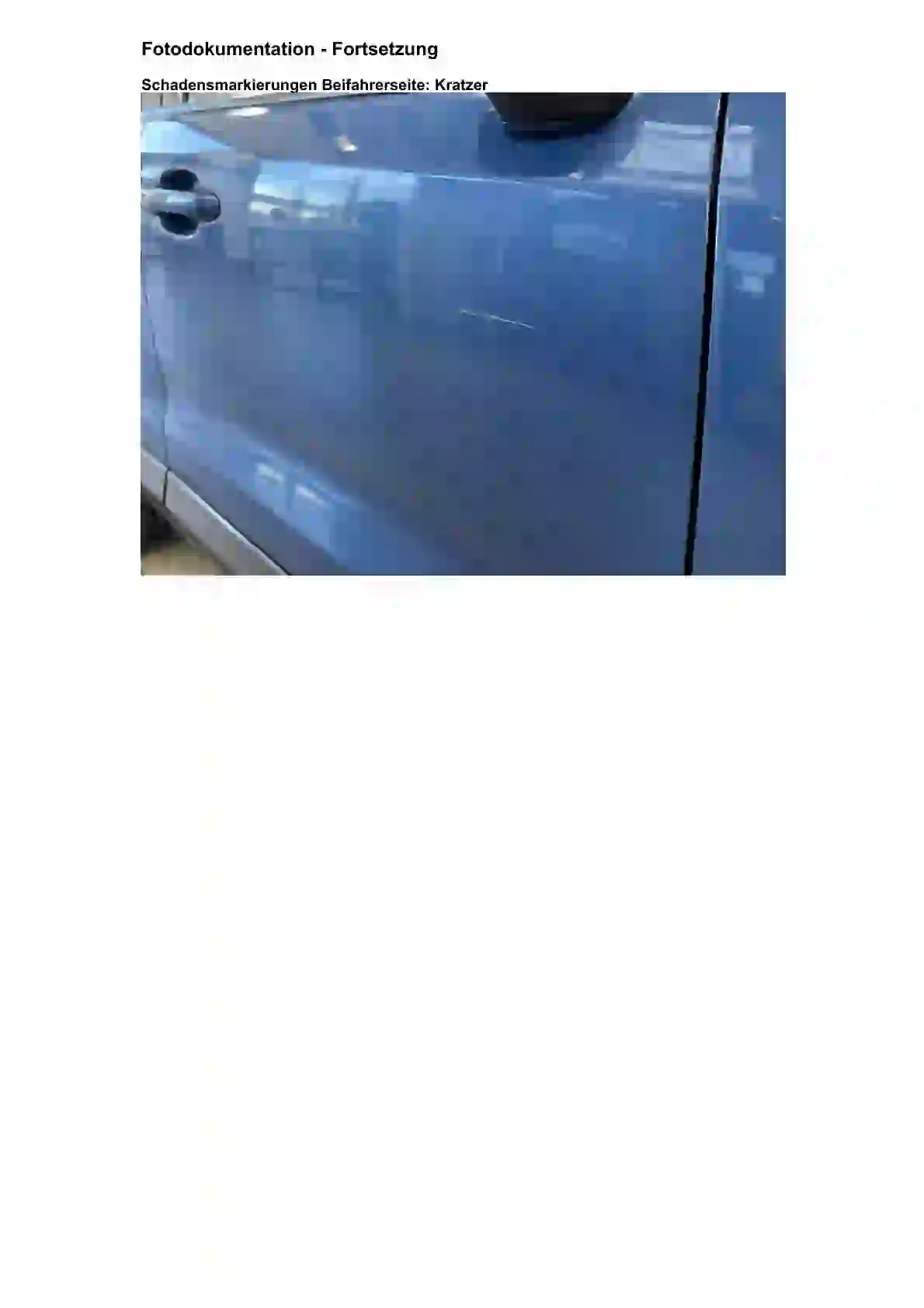
Scratches documented
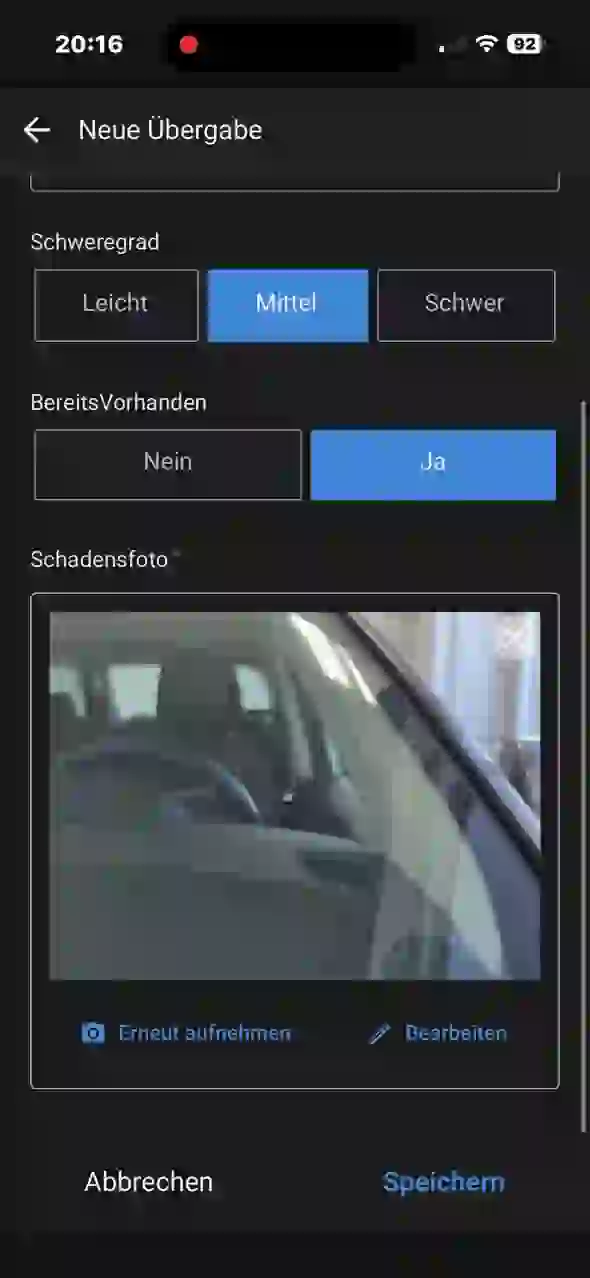
Documented stone chip with photo
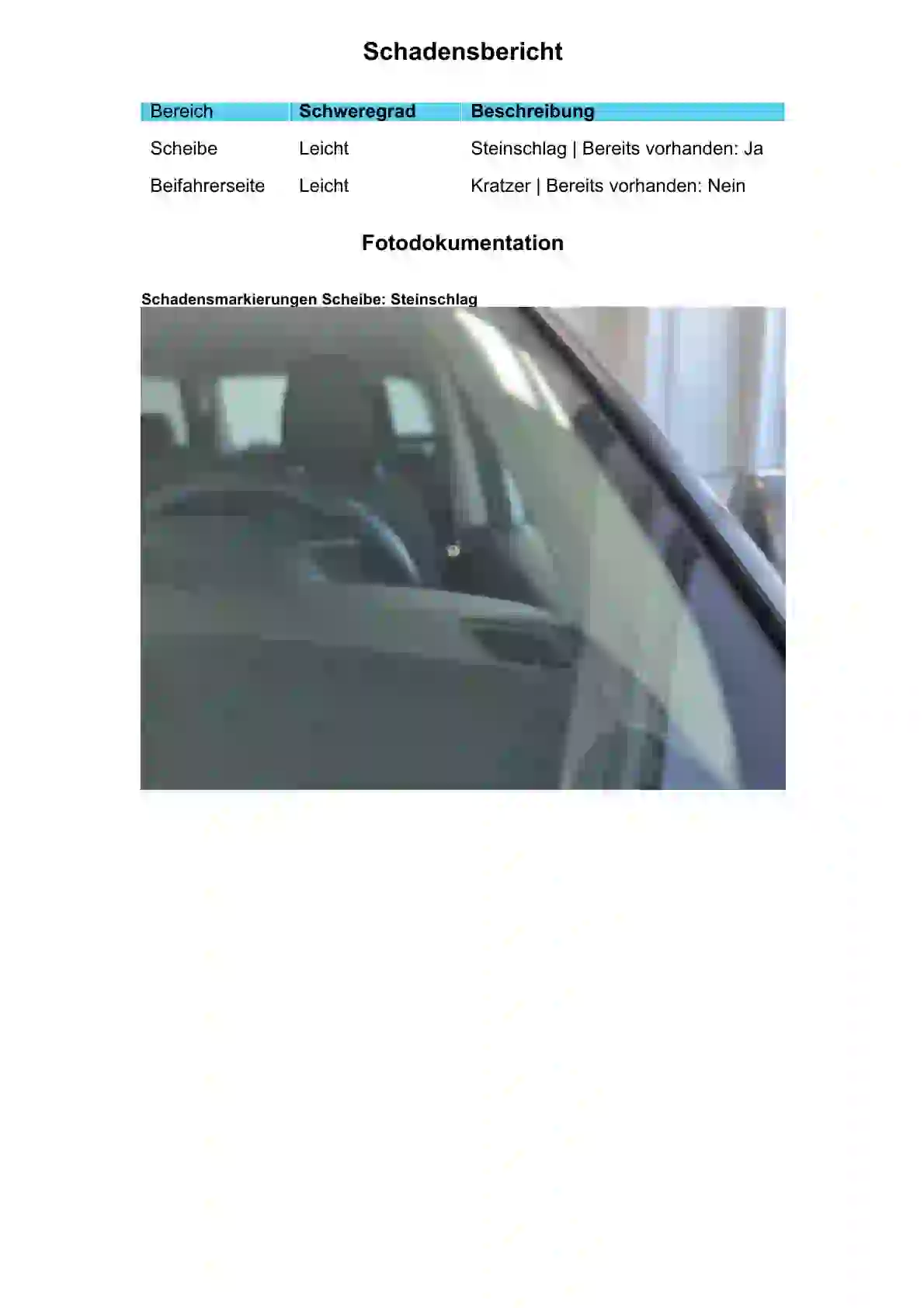
Stone chips documented
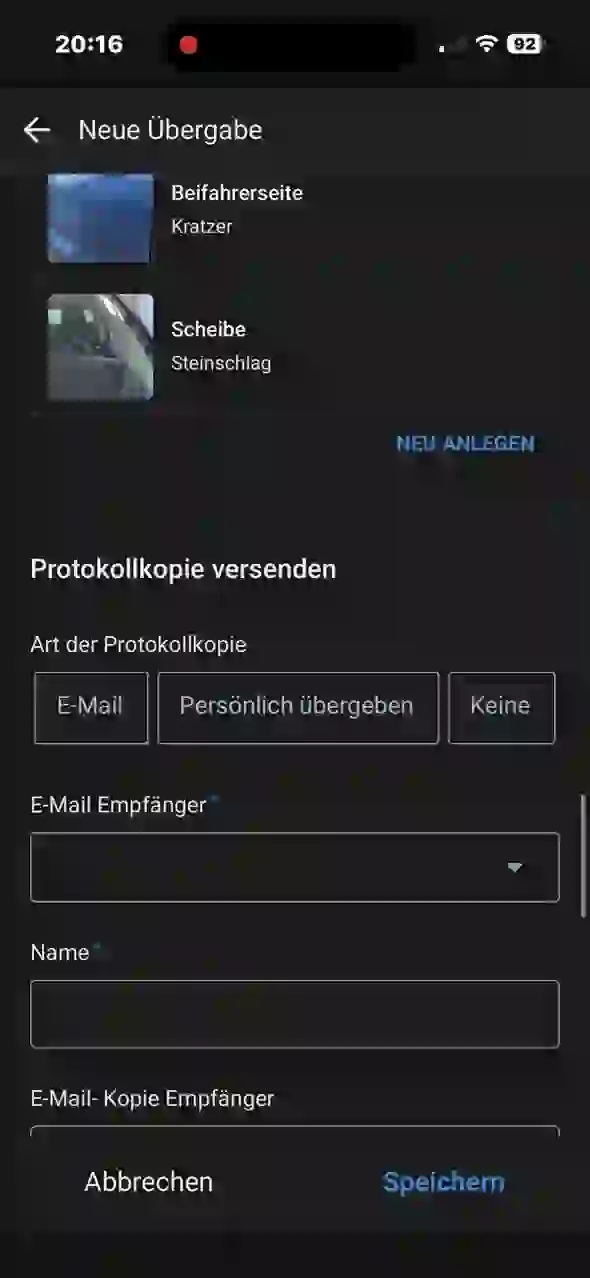
Overview of the recorded vehicle damages
Damage overview
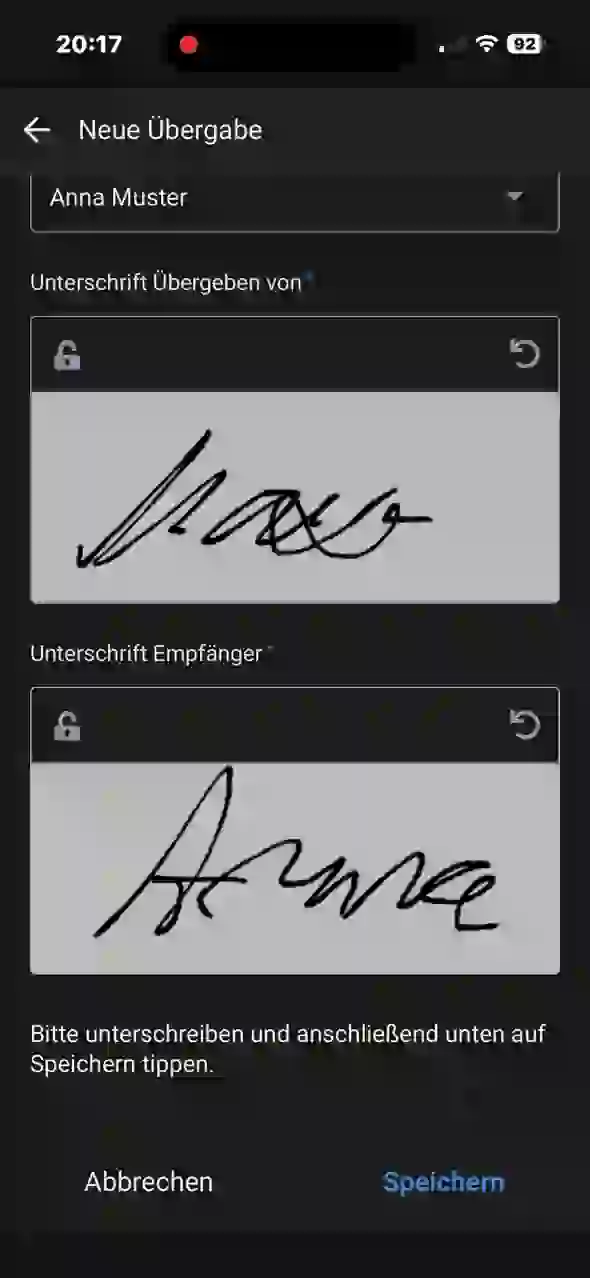
Signature fields for giver and receiver
Digitally signed

The result

From the last tap to the finished PDF.

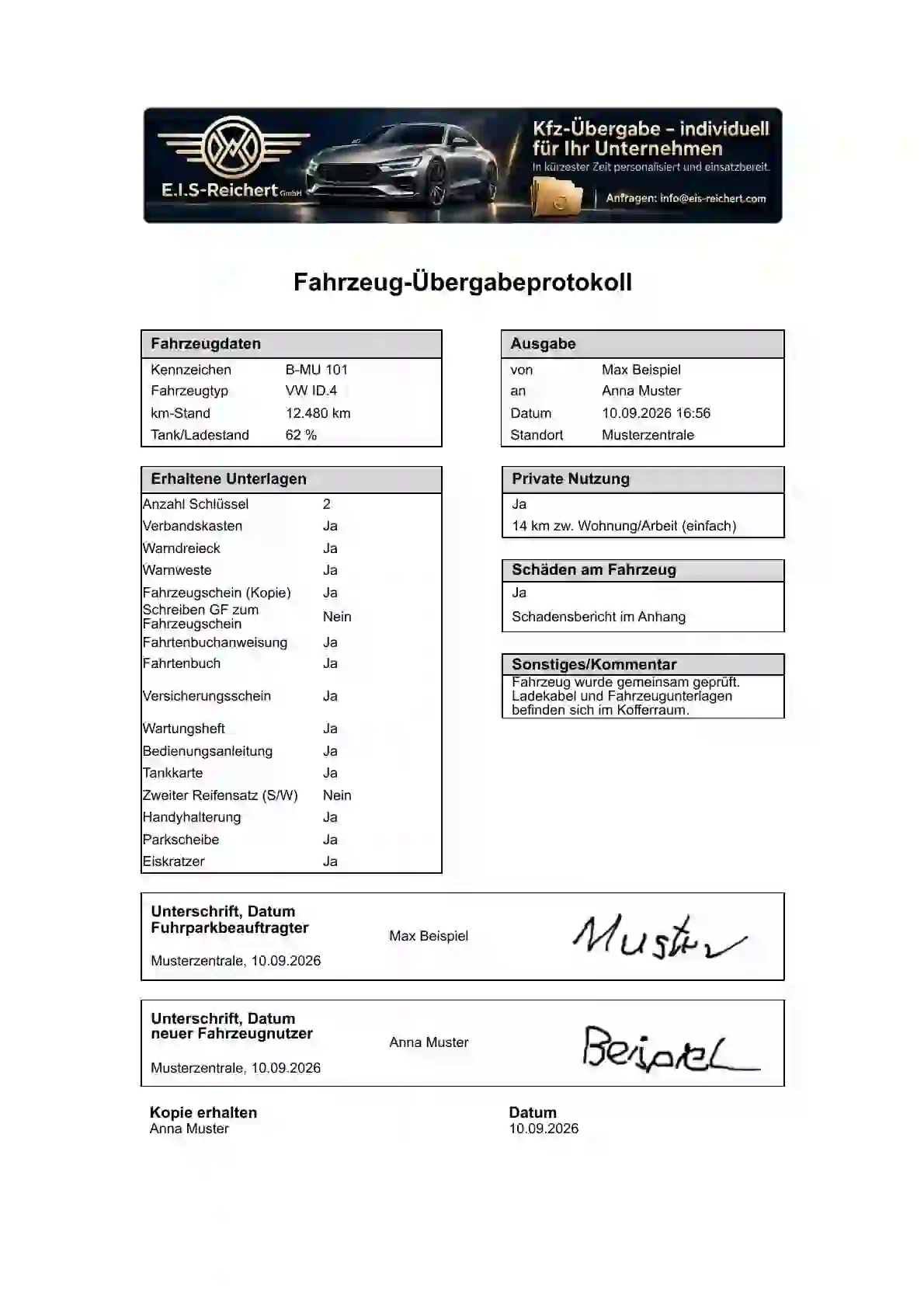
The handover protocol bundles vehicle data, documents, damages, photos, and signatures. It is automatically generated and sent to the previously selected email address.

SaveCreate PDFSend Email
View complete sample PDF
First page of the handover protocol Damage report with stone chip photo Continuation of the photo documentation with scratch Automatically created · securely traceable

Your app, not just any app

Fully prepared for your company.

The solution will not only be provided with a new logo. Content, selection lists, and output will be adapted to your actual handover process.

Your brand

Logo, colors, and documents

App interface, PDF report, and email output receive a uniform appearance.

Your master data

Pre-filled and immediately usable

  • Vehicles and license plates
  • Employees and PDF recipients
  • Locations and responsibilities
  • Documents, accessories, and checkpoints
Your process

Appropriate selection instead of detours

Fields, labels, and required information are set up as needed in your company.

Your Responsibility

Roles Clearly Separated

App operators, persons mentioned in the protocol, and email recipients are scheduled separately.

Preparation Without Guesswork

What We Need From You.

With this information, your personal version can be quickly set up and tested together.

Discuss Setup
  1. 01
    Logo and Company Data

    Logo as high-resolution as possible, desired colors, as well as details for PDF and email.

  2. 02
    Vehicle List

    License plate, manufacturer, model, and optionally other required vehicle information.

  3. 03
    Persons and Email Addresses

    Separated by app operators, participants in the protocol, and PDF recipients.

  4. 04
    Locations and responsibilities

    All locations and responsible roles that should be available for selection.

  5. 05
    Documents and checklists

    Your vehicle documents, accessories, condition questions, and damage categories.

  6. 06
    PDF and filing preferences

    File name, recipient logic, desired archiving, and storage.

  7. 07
    Test and approval

    Contact person for trial run, corrections, and final acceptance.

Beyond vehicles

Where paper lists cause delays, a clear digital process can help.

Vehicle handover is the concrete entry product. Using the same principle, further operational handovers and checks can be represented.

Material and equipment

Issue, return, condition, photos, and digital confirmation.

Tools and keys

Clearly document responsibility and completeness.

IT hardware

Assign notebooks, smartphones, and accessories to employees unambiguously.

Inspections and walkthroughs

Systematically record checklists, deviations, and photo documentation.

Additional services: Digitize workflows, Custom business app development and digital forms and checklists.

Digitalization quick check

Which process in your company unnecessarily costs time?

We examine the existing process and check whether a simple, practical app solution can be developed from it.

Describe the process without obligation

The joint start

From your lists to a ready-to-use version.

  1. 1
    Getting to know each other

    Requirements, number of users, and desired workflow are clarified.

  2. 2
    Personalize

    Your data, lists, brand, and PDF output are being set up.

  3. 3
    Test together

    A complete handover process is checked with sample data.

  4. 4
    Release

    After your approval, the app will start in the agreed customer environment.

Setup, personalization, and support are offered according to the scope. Required AppSheet licenses are listed separately and, if possible, managed directly through the customer environment.

Frequently asked questions

What companies want to know before the start.

On which devices does the app work?

The interface is designed for smartphones and can, depending on the chosen setup, also be used on tablets and in the browser.

What happens after a handover is completed?

The information is saved. Afterwards, a PDF report is automatically generated, which is archived and sent to the specified email address.

Which content can be personalized?

Among other things, logo and colors, vehicles, people, locations, documents, accessories, inspection points, damage categories, as well as PDF and email output.

Can we test the solution in advance?

Yes. After a brief coordination, a personal, protected test with sample data can be prepared.

How are licenses and customer data separated?

The appropriate AppSheet and account structure is clarified in advance. For customer operation, data sources and app copies are set up separately; licenses are listed separately.

Are other transfer processes also possible?

Yes. Materials, equipment, tools, keys, IT hardware, or operational inspections can be considered individually according to the same basic principle.

Request a personal test

Show us your handover process.

You will receive personal feedback on vehicle handover or another operational process. Together, we clarify which lists, roles, and documents your version requires.

Our app and digitalization services are exclusively aimed at companies.

info@eis-reichert.com

Your inquiry will be sent directly to E.I.S-Reichert GmbH. No email program will open. Mandatory fields: Company, Contact Person, and Email Address.